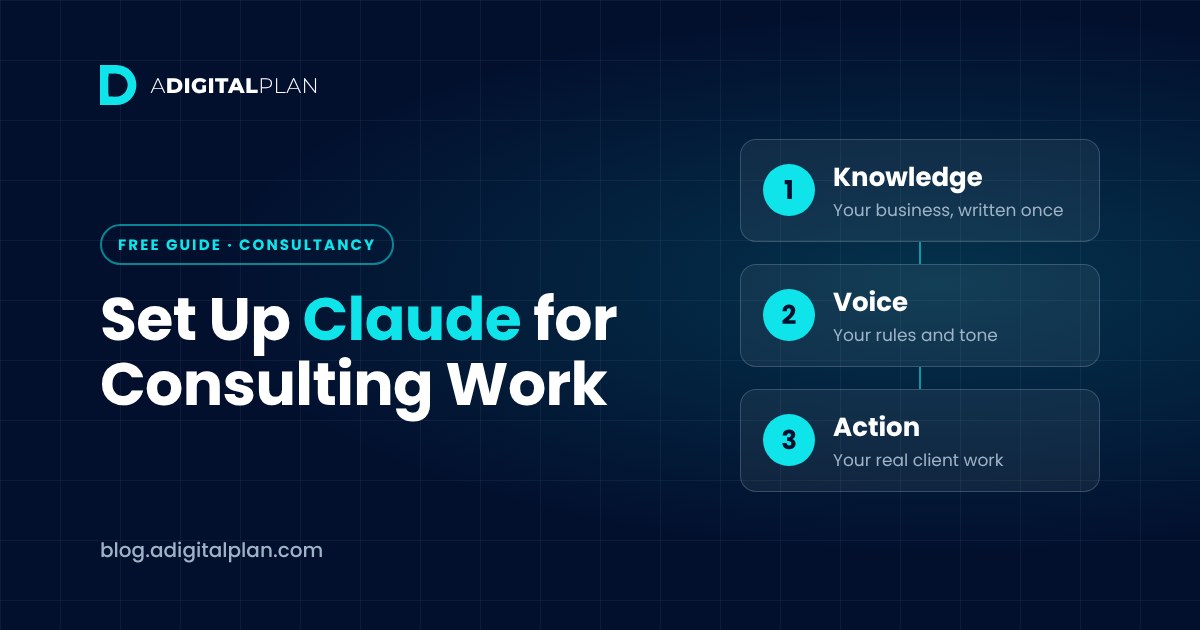
How to Set Up Claude for Consulting Work (The Right Way)
To set up Claude for consulting work, create one Claude Project, give it a knowledge base about your business and a short rules block, then run your real client work through it. Done once, every new conversation starts already knowing who you serve, what you sell and how you sound, so you stop re-explaining your business. That’s what makes Claude for consultants useful: persistent context about your business, not cleverer prompts.
This guide is for independent consultants and small firms, from beginner to expert. It covers the four setup steps, the four core ways to put Claude to work on client work, how to use Claude across a whole engagement, and the guardrails that keep it honest.
Want it done step by step? Our free Claude setup course for consultants builds the whole setup in about 90 minutes. No card needed.
Start the free course →Why Claude gives consultants generic answers
Most consultants open Claude, ask a question, get a generic answer and decide AI isn’t ready for real consulting work or client deliverables. The tool isn’t the problem. Claude doesn’t know anything about your business yet, so it gives you the answer it would give any consultant.
Every conversation starts from zero, and four things go wrong before you type a word:
- You re-explain yourself every day. Yesterday’s background is gone, so today’s draft is written by a stranger.
- It can’t guess your niche. With no client segment to write for, it writes for everyone, which reads as writing for no one.
- It has no offers to point at. Ask what you sell and it produces something plausible and close. Plausible is the dangerous part, because it looks finished.
- It invents proof when pushed. Client names and percentages that sound convincing and aren’t real. This is the one that reaches a prospect before anyone checks.
None of these is a prompting problem. They’re setup problems, which is why rewording the request never fixes them for long. The root cause is missing context, and output quality follows from the context Claude has.
In my own work, memory is where this shows up most. By default, ChatGPT builds one memory of you across all your chats: your preferences, your background and takeaways from past conversations. That’s useful for remembering you as a person, but it means details from one piece of work can drift into another. Claude keeps a separate memory for each Project, so each client or workstream has its own context and one job doesn’t bleed into the next. For a consultant juggling several clients, that separation is a big part of why I set my work up in Claude.
Why a better prompt doesn’t fix it
The instinct is to write a better prompt: add “act as an expert”, add adjectives, paste the background in again. That treats missing information as a wording problem. It’s also why many consultants quietly conclude the tool is overrated.
The fix is to give Claude the information once, in a place it reads every time. In Claude, that place is a Project. The order matters: knowledge first, then voice, then action.
How to use Claude Projects for consulting
A Claude Project is a workspace with its own instructions and files. Every chat you start inside it can draw on the project knowledge you’ve added, so Claude reads the same files each time and you start at your own question instead of the background. One Project per consultancy is the place to start.
This is the core of setting up Claude for consultants: the project knowledge holds your business, and the project instructions hold your rules. Keep them as separate things. Knowledge is what’s true about you; instructions are how Claude should behave.
Step 1: Create a new Project and take a baseline
Create a new Project named after your business. Before adding anything, ask Claude what it knows about you, and keep the answer. You’ll compare it with the finished setup later.
Then gather three real samples of your own writing, at least one of them a client email. You’ll need them for your voice. Clear file names help too, such as “Knowledge base” and “Writing samples”, so you can see at a glance what Claude is working from.
Step 2: Write a seven-section knowledge base
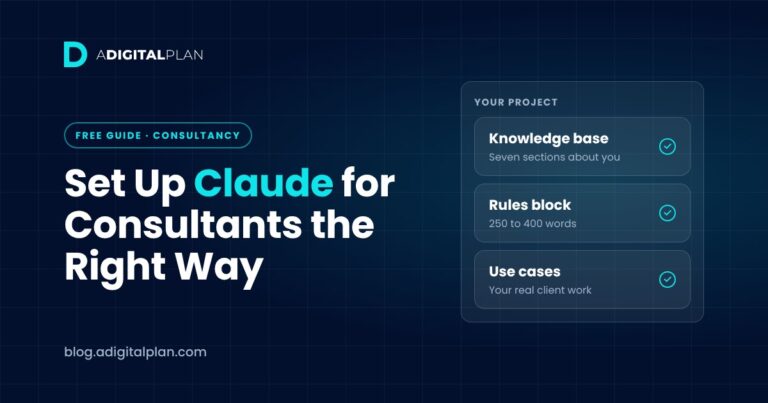
The knowledge base is one document Claude reads before replying, and it becomes the main project knowledge for every conversation. The course builds it in seven sections, which give it a clear structure:
- Consultant Profile: who you are and how you work.
- Ideal Client Profile: two or three genuinely different client types, not one idealised one.
- Core Problems Worth Paying For: the problems clients actually bring you.
- Positioning and Authority: why you, rather than another consultant.
- Core Offer(s): what you sell and how it’s priced. If it isn’t written down, Claude will invent something adjacent.
- Proof and Credibility: only results you can evidence. This is what stops invented case studies.
- Tone of Voice: drawn from your three writing samples, not a list of adjectives.
A plain document, a Word file or simple .md files all work. If you already have brand guidelines, add them alongside rather than pasting them into every chat. Load it into the Project, then stress-test it. If answers come back generic, the knowledge base is too thin. If they contradict each other, the document probably contradicts itself. The knowledge base lessons in the free course walk through all seven sections, with a prompt pack and plain-English SOP for each.
Step 3: Write your Claude project instructions
Knowledge is the brief; instructions are the manager. Rules written before there’s a knowledge base have nothing to govern, so this comes second.
Your Claude project instructions should be one block of 250 to 400 words, covering four rule sets:
- Tone: including the banned words you never use, named specifically.
- Format: so a four-line email doesn’t become nine paragraphs.
- No-go list: never invent statistics, client names or case studies.
- Push-back: flag contradictions, ask clarifying questions before drafting anything long, and name weak logic instead of agreeing.
A useful test for each rule: could you write it in one line? If not, it’s probably two rules pretending to be one.
Step 4: Test the instructions three ways
Open a fresh chat in the same project and try three requests:
- A client email. Does the tone sound like you?
- “Help me with my marketing.” It should ask questions, not guess.
- A request for case studies and revenue results. It should refuse to invent them.
In the course demo, the first rules block fails two of the three tests. The fix is to rewrite the rule that failed, not to keep adding rules. Watch how Claude responds to each test and adjust one rule at a time.
Put it to work on client work and client deliverables
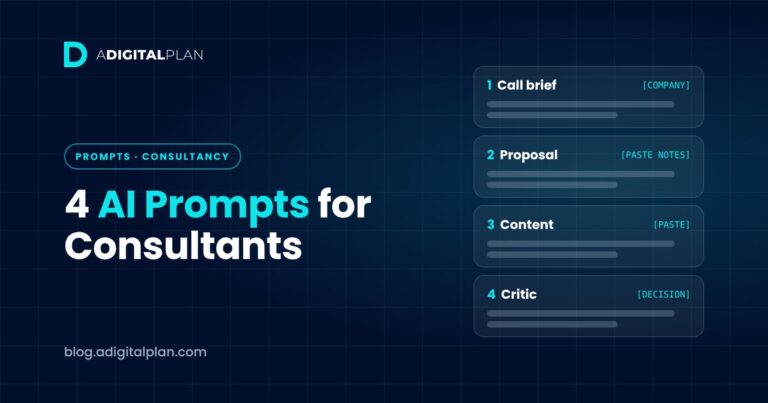
With the knowledge base and instructions in place, prompts become short, because the context is already there. The course uses four use cases for everyday client work:
| Use case | What you give Claude | What comes back |
|---|---|---|
| Pre-call brief | What you know about the prospect | Their likely situation, the offer that fits and the objections to expect |
| First-pass proposal | Paste notes from the call | A full draft using your real offers and pricing, with [CHECK] on anything uncertain |
| Content | One talk or long post | A week of content in your voice |
| Claude as critic | A decision you’re unsure about | The assumption you haven’t tested, named plainly |
Each use case comes with a follow-up prompt that turns a usable draft into one you’d send to a client. This is where Claude for consultants earns its place: the actual work of call prep, proposals and content starts from your own business, not a blank page.
How to use Claude across a consulting engagement
Once the setup works, the same Project supports the rest of an engagement. These are general ways consultants use Claude; each one depends on you supplying the raw material and checking what comes back.
Frame the decision question first
Start every piece of analysis with the decision the client has to make, written as one question. Then ask Claude to break it into an issue tree with branches that don’t overlap, and to list the root cause hypotheses worth testing. A clear question keeps the rest of the work from drifting.
Our client has to decide [DECISION]. Write the decision as one question, then break it into an issue tree with no overlapping branches. List the hypotheses we’d need to test, and what evidence would prove each one wrong.
Research synthesis into a short briefing
Paste in reports, articles or your own notes and ask for a structured briefing with the key finding first, a word limit and a list of which source each point came from. Research synthesis is where Claude is quick and where errors hide, so treat every figure as unchecked until you’ve seen it in the source.
Summarise the material below into a briefing of no more than 600 words. Start with the key finding, then the three points that support it. After each point, name the document it came from. Mark anything you inferred rather than read as [INFERRED].
Interview preparation and analysis
Ask Claude to draft open-ended interview questions for a stakeholder or customer interview. Afterwards, paste in your own anonymised notes and ask for the themes that came up more than once. Remove names and anything confidential first, in line with the guardrails below.
Market size and competitive analysis
For a market size estimate, ask Claude to define the unit you’re counting, build the number two ways and give a low, base and high case with every assumption labelled. For competitive analysis, give it the material you’ve gathered and ask for a positioning summary. In both cases the numbers and claims are yours to verify: no number goes to a client without a source.
Executive summary and slide titles
When the analysis is done, ask Claude to turn your findings into an executive summary and a set of slide titles where each title states the finding, not the topic. It can also draft speaker notes. Under time pressure, this is where a good first pass helps most, and where your judgement on what to cut matters most.
Meetings and difficult conversations
Ask for a meeting agenda with time allocations, or have Claude play a sceptical stakeholder so you can rehearse a hard conversation before the real one.
One project per client, or one per business?
Start with one Project for your consultancy, holding your knowledge base and rules. When an engagement builds up its own material, create a new project for that client so its files and notes stay in one place and don’t mix with other work. Copy your instructions across so the rules stay consistent.
If you work with multiple people, Claude’s team plans let colleagues share a project and its context, so everyone works from the same files. Check Anthropic’s current plans for what each one includes, as features and limits change.
Daily habits that keep it working
Three habits, none taking more than two minutes:
- Morning brief: what needs attention today.
- Post-call debrief: the summary and next steps, while the call is fresh. Start with this one.
- Friday review: what worked, and what to add to the knowledge base.
These turn recurring work into a routine, and the Friday review is what keeps the knowledge base current as your offers and clients change.
Where Claude for consultants falls short: four guardrails
Claude is a strong drafting and thinking partner, not a replacement for your judgement. It can produce work that reads well and is wrong, and it can’t know what your client didn’t tell you. The course sets four guardrails:
- Nothing goes out unedited. Every draft is a first pass.
- No number without a source. Any figure must come from your knowledge base or your own records.
- No confidential client data in your prompts or files.
- You own the judgement. Claude can argue with a decision; it doesn’t make it.
Common mistakes to avoid
- Collecting other people’s prompts. Their prompts are built on their businesses. Yours need your knowledge base underneath them.
- Writing instructions first. Without a knowledge base, rules have nothing to work on.
- Trusting proof Claude writes. Anything that looks like a client result should come from your knowledge base, or not appear at all.
- Putting everything in one conversation. Long, mixed chats lose focus. Start a fresh chat inside the Project for each task.
Frequently asked questions
How is AI being used in consulting?
Mostly for first drafts and structure: call preparation, proposals, research synthesis, interview analysis, executive summaries and slide outlines. The consultant still frames the question, supplies the evidence and owns the recommendation.
What should I put in Claude project instructions?
Four rule sets in one block of 250 to 400 words: tone (including banned words), format limits, a no-go list against invented figures and clients, and push-back rules so Claude asks before it guesses.
How do I use Claude Projects correctly?
Put your business knowledge in the Project’s files and your rules in its instructions, then start every chat for that business inside the same Project. Test it with awkward requests before you rely on it.
What custom instructions should I give Claude?
Claude has account-wide personal preferences for personal use, and separate instructions for each Project. For consulting work, put your rules in the Project rather than your whole account, so they apply to one business. Use the four rule sets above.
Can Claude be personalised?
Yes. A Project with your knowledge base and instructions is the most reliable way, because the context sits in files Claude reads every time rather than in your memory.
Can I use Claude Projects for free?
The course is built so the free Claude tier is enough to complete every lesson. A paid plan such as Claude Pro becomes worth it once the daily habits stick. Check Anthropic’s current plans and prices, as they change.
Is there Claude AI for business, and what does it cost?
Anthropic offers individual plans and plans for teams and larger organisations. Prices and limits change, so check Anthropic’s pricing page for current figures rather than relying on any article, including this one.
Which AI tool is best for consulting?
The one you’ll set up properly and keep using. For a direct comparison, see Claude vs ChatGPT for consultants.
Do I need to be technical?
No. There’s no code and no integrations: one Project, one document and one rules block.
Is Claude for consultants only?
The course is built for consultants and also suits agency owners and other service businesses, whatever the specific industry. You need to know who you serve and what you sell before you start.
What should I do once it’s set up?
Start with the four use cases above. For ready-made starting points, see AI prompts for consultants that do real work.
Build your setup with the free course
The free Set Up Claude the Right Way course takes you from a blank Claude account to a working Project: a seven-section knowledge base, project instructions that hold, four use cases and three daily habits. It’s 14 short lectures, about 90 minutes in total, free for life and suitable for everyone from beginner to expert. Every lesson comes with a prompt pack and SOP. Clarion Consulting, the business used in the build workshops, is a fictional teaching demo.