Claude vs ChatGPT for Consultants: How to Choose
For consultants, Claude and ChatGPT can both do the work, and the setup matters more than the tool. Pick the one you’ll actually set up properly: a project with your business written down, a short set of rules and prompts for your real client work.
This comparison is for independent consultants and small firms, from beginner to expert, deciding which AI tool to build their consulting work around. It covers what matters for consulting, where each tool is strongest, how the plans and models compare, and how to test both on your own work before you commit.
Already chosen Claude? Our free course on setting up Claude for consulting work builds that setup in about 90 minutes. No card needed.
Start the free course →Why most Claude vs ChatGPT comparisons don’t help consultants
Most comparisons test coding, maths or general knowledge. A consultant’s work is different: discovery calls, proposals, executive summaries, client presentation outlines and content that has to sound like you.
For that work, the biggest problem isn’t which model is smarter. It’s that neither tool knows your business until you tell it. Without that context, both write for every consultant at once, and both will invent plausible proof if you push them. Both Claude and ChatGPT do a decent job of generic writing; the difference you’ll feel day to day comes from what you’ve told them.
Claude vs ChatGPT for consultants at a glance
Both tools change often, so treat this as a starting point and check each company’s current pages before you decide. A context window is how much text the tool can read and keep in mind at once, which matters when you give it long reports or several client documents.
| What matters to a consultant | Claude | ChatGPT |
|---|---|---|
| A workspace for one business | Projects, with your own files and instructions | Projects and custom GPTs |
| Custom instructions | Per Project, plus account-wide preferences | Account-wide custom instructions, plus per-project and per-GPT instructions |
| Long documents | Widely used for long and complex documents, with a large context window | Also handles long documents and document analysis; limits depend on the plan |
| Writing style | Many writers choose it for long-form content and client writing | Flexible; strong for drafting and brainstorming from multiple angles |
| Images and media | Focused on text, documents and analysis | Includes image generation |
| Research | A research mode that searches and cites sources | Deep research that searches and cites sources |
| Coding and integrations | Claude Code for coding; connects to other tools | Coding help and connectors to other tools |
| Plans | Free plan with usage limits; Claude Pro, Max and business plans | Free plan with usage limits; ChatGPT Plus, Pro and business plans |
So for consulting work, the question isn’t “which can do it?” It’s “which will I set up properly and keep using?” A common way to sum it up is depth against breadth: Claude is often chosen for depth on documents and writing, ChatGPT for the breadth of what it does in one app.
Where Claude excels for consulting work
These are the strengths consultants most often cite for Claude. Test them on your own work rather than taking them on trust.
- Long and lengthy documents. Claude is often chosen for reading large documents in one go, such as a long report, a set of interview notes or several proposals, and summarising them.
- Writing that needs less editing. Many consultants find Claude’s output closer to finished for proposals, reports and written content, especially once it has your voice rules. Your own test is the only one that counts.
- Structured thinking. For complex reasoning tasks such as breaking a problem down, challenging an assumption or laying out options, Claude is a common choice for strategy work.
- Following a rules block. A clear set of project instructions, including banned words and a no-go list, is what keeps any tool on track. It’s the core of how our course builds Claude.
Where ChatGPT is the stronger choice
- Images alongside text. ChatGPT’s image generation capabilities are useful if you make visuals for social posts or decks. Claude AI is focused on text and documents.
- A wider range of built-in tools. ChatGPT bundles more features in one place, such as image generation and voice, and it’s often credited with a wider range of third-party integrations, which suits consultants who want one app for everything.
- Quick, execution-focused tasks. Many users find ChatGPT fast for pulling specific details out of a document, quick web lookups and short drafts.
- Spreadsheets and data. ChatGPT is a common choice for working through spreadsheet data and simple analysis, though you should check every number it gives you.
- Custom GPTs. You can build a custom-made assistant for one task and share it, which is handy if you run the same process often.
- What your team already uses. If clients or colleagues work in ChatGPT, using the same tool can make life easier.
Which model should you use?
Both companies offer several models, and both retire older, legacy models over time. Claude’s models come in families: Claude Opus is the most capable model for complex work, and Claude Sonnet is faster and cheaper to run, which matters when speed matters more than depth. ChatGPT also lets you switch between other models depending on your plan.
For most consulting work, use the most capable model your plan allows for analysis and proposals, and a faster one for quick tasks such as bullet points or email replies. Model names change often, so check what’s current in each app.
Research, integrations and coding
- Research: both offer a research mode that searches the web and returns a cited report. That’s useful for an initial look at competitor websites or a market, but check every source before anything reaches a client.
- Third-party integrations: both can connect to other tools, such as Google Drive. Anthropic created the Model Context Protocol, an open standard for connecting AI tools to other software, and it’s now used more widely. What’s available depends on your plan.
- Coding: if you write or debug code, Claude Code is Anthropic’s coding tool, and ChatGPT also helps with code. Most consultants won’t need either for client work.
Creative writing and content creation
For creative writing and content creation, both tools can draft posts, articles and newsletters. The output only sounds like you if you give the tool real samples of your writing and rules about what to avoid. Without them, Claude’s output and ChatGPT’s output both drift towards the same generic tone.
When to choose Claude, and when to choose ChatGPT
Choose Claude if most of your work is writing tasks and thinking: proposals, reports, long or complex documents and content in your own voice. Claude is also the tool our course is built in.
Choose ChatGPT if you need images alongside your writing, want a wider range of built-in tools and integrations, or your team already works in it every day.
Use one tool, not both, unless you’re willing to keep two knowledge bases up to date. Some consultants do run a hybrid workflow, drafting in one and checking in the other, but most do better with one well-kept setup.
How to test both tools on your own work
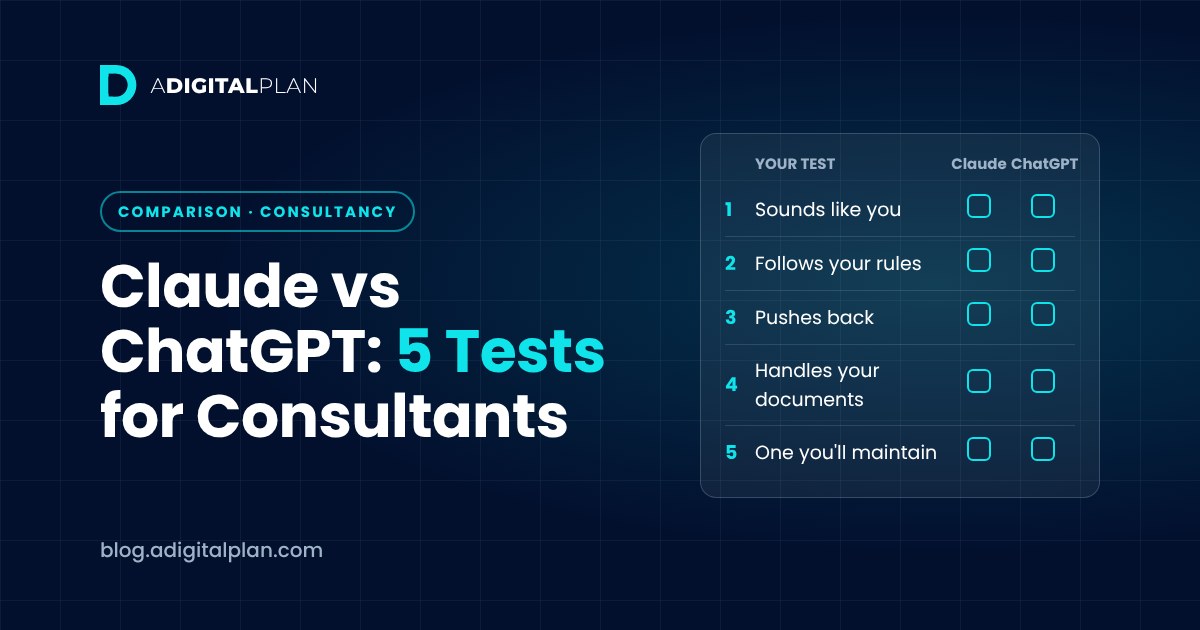
Run the same five tests in each tool’s free plan, using the same information. Both have free versions, so this costs nothing but an hour.
1. Which one sounds more like you?
Give both the same three samples of your writing and the same request. Read the drafts side by side. Choose the one you’d edit least.
2. Which one follows your rules?
Write the same short rules block: banned words, a length limit and “never invent client names or figures”. Provide custom instructions in the same place in each tool, then make three awkward requests, including one asking for case studies and revenue results. The better tool is the one that refuses to invent them.
3. Which one pushes back?
Ask both to review a decision you’re unsure about. A tool that only agrees is no use as a second opinion. Ask it to name the assumption you haven’t tested.
4. Which one handles your documents?
Give each a real but non-confidential document, such as a long proposal or report, and ask for an executive summary. Check what each one missed and whether the communication is clear enough to send.
5. Which one will you maintain?
A setup goes stale when your offers change. Pick the tool you’ll keep updating every week, not the one that won this month’s comparison.
I chose Claude for my own work because of how it handles memory. Each Claude Project keeps its own memory, separate from my other work, so when I ask for a proposal or report it draws on that project’s context rather than everything I’ve ever discussed with it. In my experience, that produces better documents with less correcting.
Is Claude better than ChatGPT for business?
Neither is better for every business. For consulting, the real difference is usually the setup underneath: a tool that knows your clients, offers and voice will outperform a better model that knows nothing. That’s why the free course spends most of its time on the knowledge base and rules, not the tool.
Claude vs ChatGPT for writing
For writing, test rather than trust. Give both tools your samples, your rules and the same brief, then compare the drafts in your own way: which needs less editing, which kept to the length, and which avoided invented detail. Choose the one that wins on your work.
Privacy and client data
Whichever tool you pick, check its data settings, and don’t put confidential client information into prompts or files. Both companies offer business and enterprise plans with their own data and privacy terms, so if you handle sensitive client material, read those terms before you choose. Follow your clients’ own rules on sharing documents.
The setup that matters more than the tool
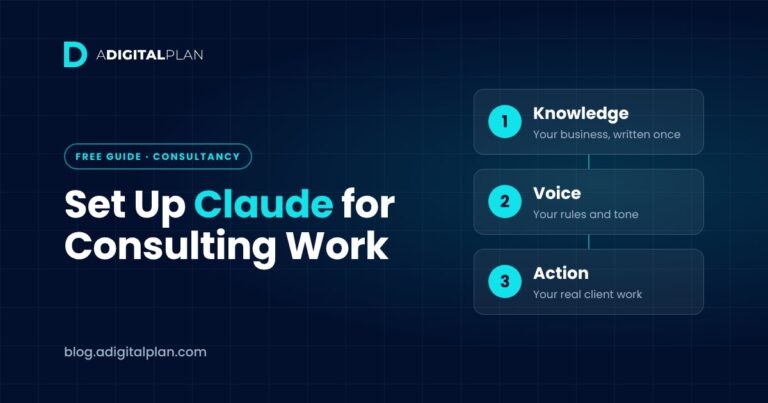
Whichever you choose, build the same three layers:
- Knowledge: a document covering who you serve, what you sell and the proof you can evidence.
- Voice: a rules block of 250 to 400 words, including a no-go list for invented figures.
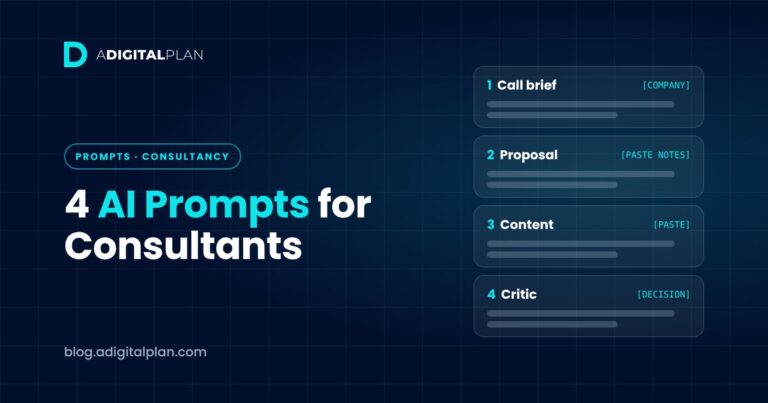
- Action: prompts for call prep, proposals, content and second opinions.
For the full Claude version, see how to set up Claude for consulting work.
Frequently asked questions
Is Claude better than ChatGPT?
Not for everyone. Test both on your own writing and your own rules, then choose the one you’ll maintain.
Is ChatGPT good for consultants?
Yes, if you set it up with your business information and rules. Without that, it writes generic drafts, just as Claude does.
Which is better for writing proposals?
The one that knows your offers and pricing. Without that information, both produce something plausible and generic.
Can I use both?
You can, but you’d need to keep two knowledge bases up to date. Most consultants do better with one.
Do I need a paid plan?
Not to test them or to build the setup in our course. Both have a free plan with usage limits, and paid plans give higher usage limits. Check each company’s current pricing pages for Claude and ChatGPT, as plans and prices change.
What’s the best AI for consultants?
The one you’ll set up with your business and keep using. For ready-made starting points, see AI prompts for consultants that do real work.
Set up Claude properly, free
The free Set Up Claude the Right Way course builds a Claude Project that knows your business: a seven-section knowledge base, a rules block and four use cases. It’s 14 short lectures, about 90 minutes, free for life and suitable for everyone from beginner to expert. The method works in any AI tool, but the course is built in Claude.